Features · Time tracking
Time tracking that lands in the budget.
Book on the ticket, with a stopwatch, on the Mac or in your own words. Every hour carries its service rate and counts right away in the project's budget, in controlling and in the report for the client. No second tool, no reconciling at the end of the month.
No card, no sales call. Someone who only books time costs €5 a month.
Four ways to book time. One place where it counts.
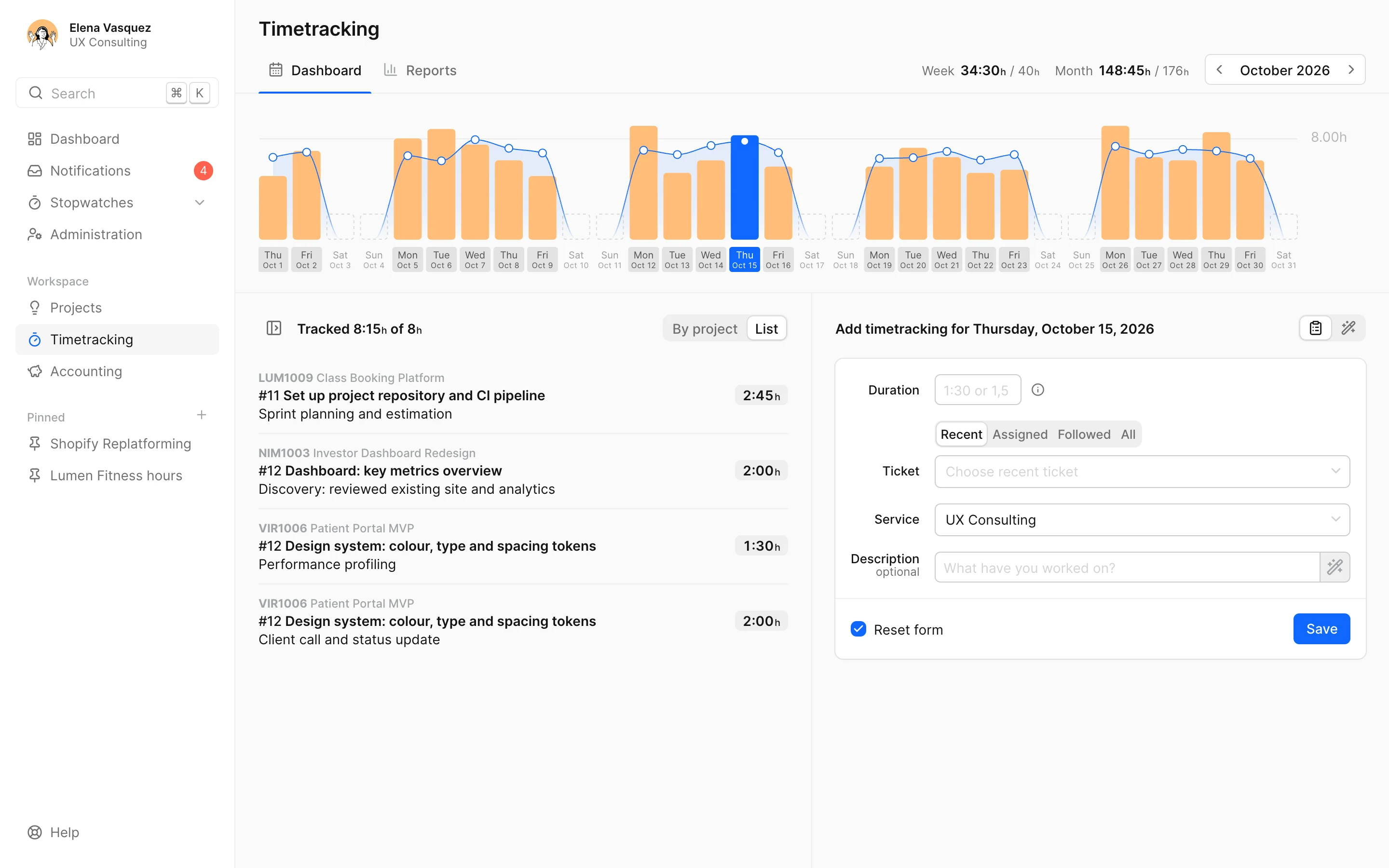
The week on one screen.
Every time entry belongs to a ticket and a service, say concept or development, at the rate the project has for it. The week view shows each day against the person's working hours, so a gap shows up before anyone has to ask.
- Daily target from the working hours: "6:00 of 8h"
- In quarter hours, because nobody talks about a topic for just 5 minutes
- Mark time as not billable, it then counts at €0
- Find tickets by search, Jira tickets by their key too
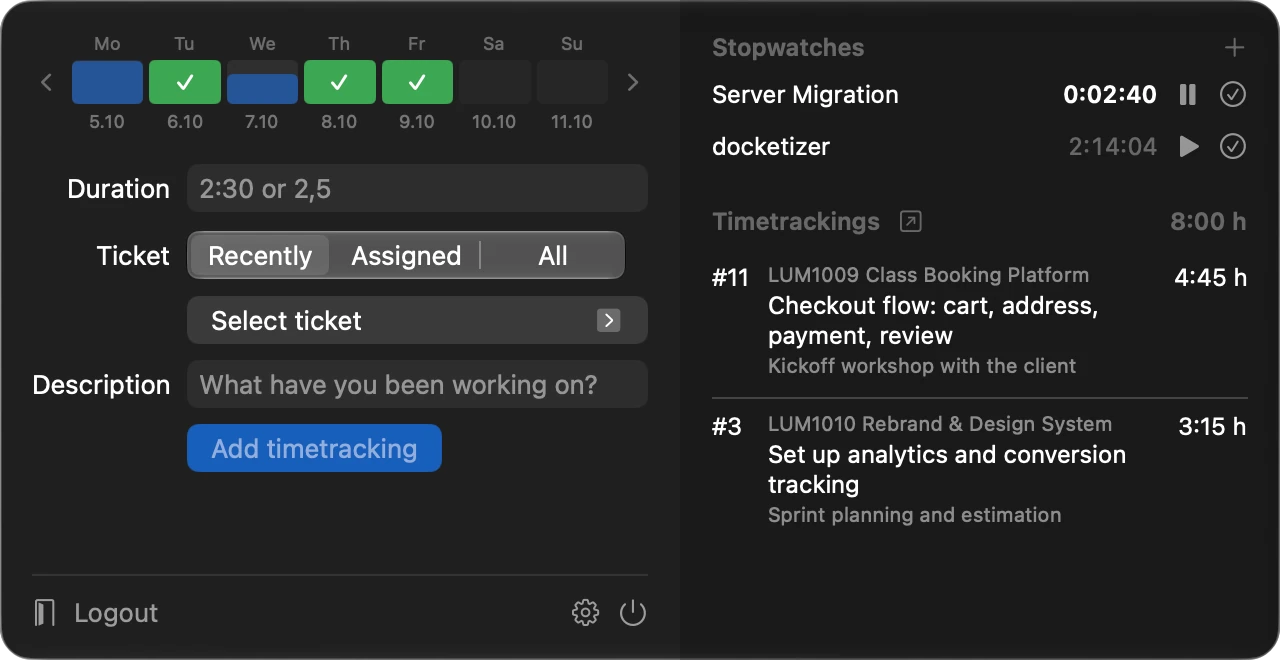
As many stopwatches as you need. Pick the ticket afterwards.
A call, a quick request, two things at once: stopwatches run side by side and belong to your account, not the browser. When you book, docket rounds up to the next quarter hour and asks for the ticket. The docketizer Mac app puts them in the menu bar.
- docketizer opens with a shortcut, even when docket isn't open
- What runs on the Mac runs in the browser too, and the other way round
- Forgot to stop it? Just type over the time
- Start and book them from Claude or ChatGPT too
Get docketizer for macOS macOS 14 or later
Write it down as you'd tell a colleague. docket turns it into time entries.
"2h checkout bug for Lumen, yesterday 45 min wireframes, 30 min emails": docket proposes an entry per piece of work, with ticket, service and description. Nothing is booked until you book it. An admin switches it on; until then nothing goes to an AI.
- Ask: "What did I do this week and not track yet?"
- The description from what you did in the ticket
- Never guesses between two tickets, it lets you choose
2h checkout bug for Lumen, yesterday 45 min wireframes for onboarding, 30 min emails
- 2:00 Fix the checkout bug Lumen · Development
- 0:45 Onboarding wireframes yesterday · Concept
- 0:30 Emails Project management
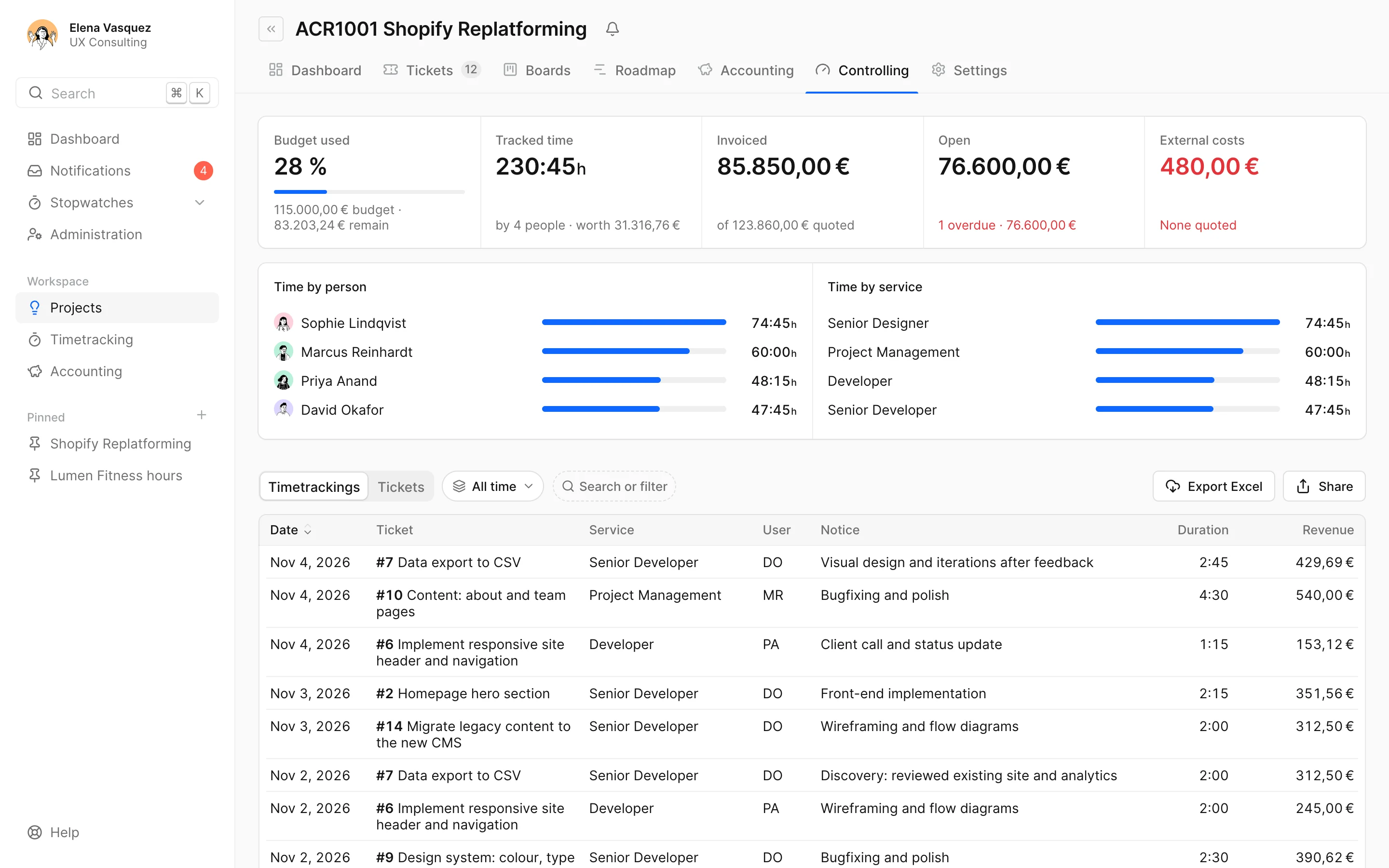
Every hour counts where it belongs.
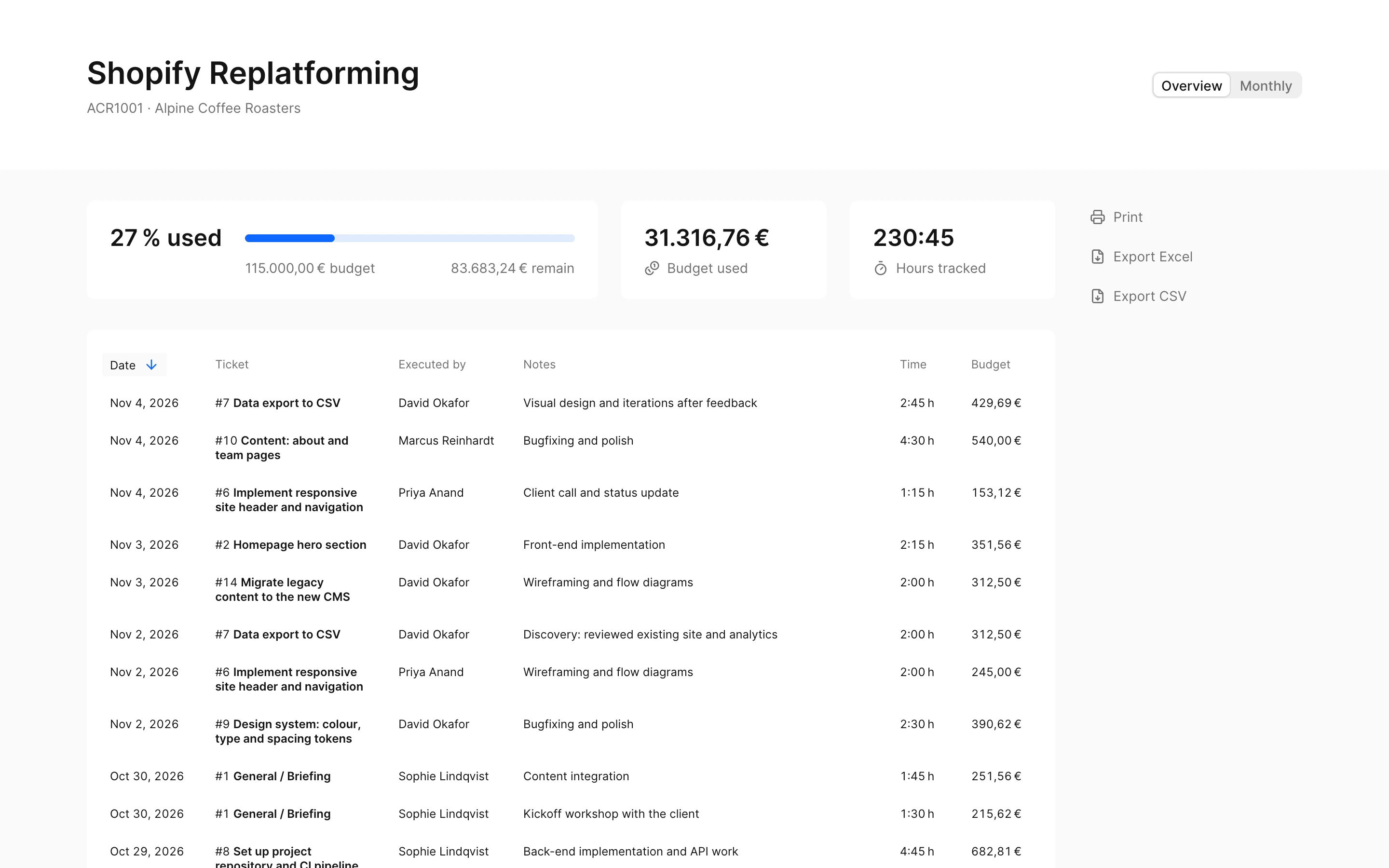
The project's controlling shows the hours by person and service, each entry with its value, next to what's left of the budget. If you like, the client gets a link with their hours, without a login and always up to date.
- Budget in hours or money, for the project or per month
- Export a project's time entries to Excel
- Client report with or without budget, with or without names
What agencies ask as well.
Your team works in Jira?
Then it books on the mirrored Jira tickets, and the time goes back to Jira as a worklog. If people keep booking in Jira or Tempo, docket picks up their hours. More on the Jira time tracking page.
Someone who only books time doesn't need a full seat.
The time tracker role books time on their projects and costs €5 a month. Project managers and admins see budgets, quotes and invoices. All prices are on the pricing page.
Someone's hours change?
Working hours have a valid-from date. Someone working four days from March gets a new profile, and past weeks keep their old target.
Short questions, short answers.
Why quarter hours?
Because hardly any work on a ticket is shorter, and clients can read quarter hours. Stopwatches measure to the second and only round up when you book, to at least 15 minutes. The exact time stands next to it, and you can change the duration before booking.
Can several stopwatches run at once?
Yes, as many as you need. Each counts on its own and keeps running when you close the tab or switch computers. More on stopwatches in the docs.
Is there an app?
For the Mac there is docketizer, macOS 14 or later, with stopwatches in the menu bar. Otherwise docket runs in the browser. A view of its own for phones is in the works; it's on the roadmap.
Can we track time the client doesn't pay for?
Yes. A time entry can be marked as not billable. It then counts in the person's hours, but at €0 in the project's value.
How does the client get their hours?
Through a shared link: a web page with the project's booked time, without a login and always up to date. You decide whether budget and names show. Or you export the time entries to Excel. More on sharing reports.
What does time tracking cost?
It's part of docket. You pay per person by role: someone who only books time is a time tracker at €5 a month. The prices of all roles are on the pricing page.
Book hours without searching. And see what they do.
Try it free for 14 daysNo card. On to all features or to time entries with AI in the docs. Questions? info@docket.rocks.
