Features · Quotes & invoices
From the quote to the final invoice
Quotes, order confirmations, delivery notes and invoices live on the project they belong to. A cycle keeps together what belongs together, and the final invoice deducts what was billed before. No spreadsheet on the side.
No card, no sales call. Every German invoice is an e-invoice too.
One cycle per job. Every document in its place.
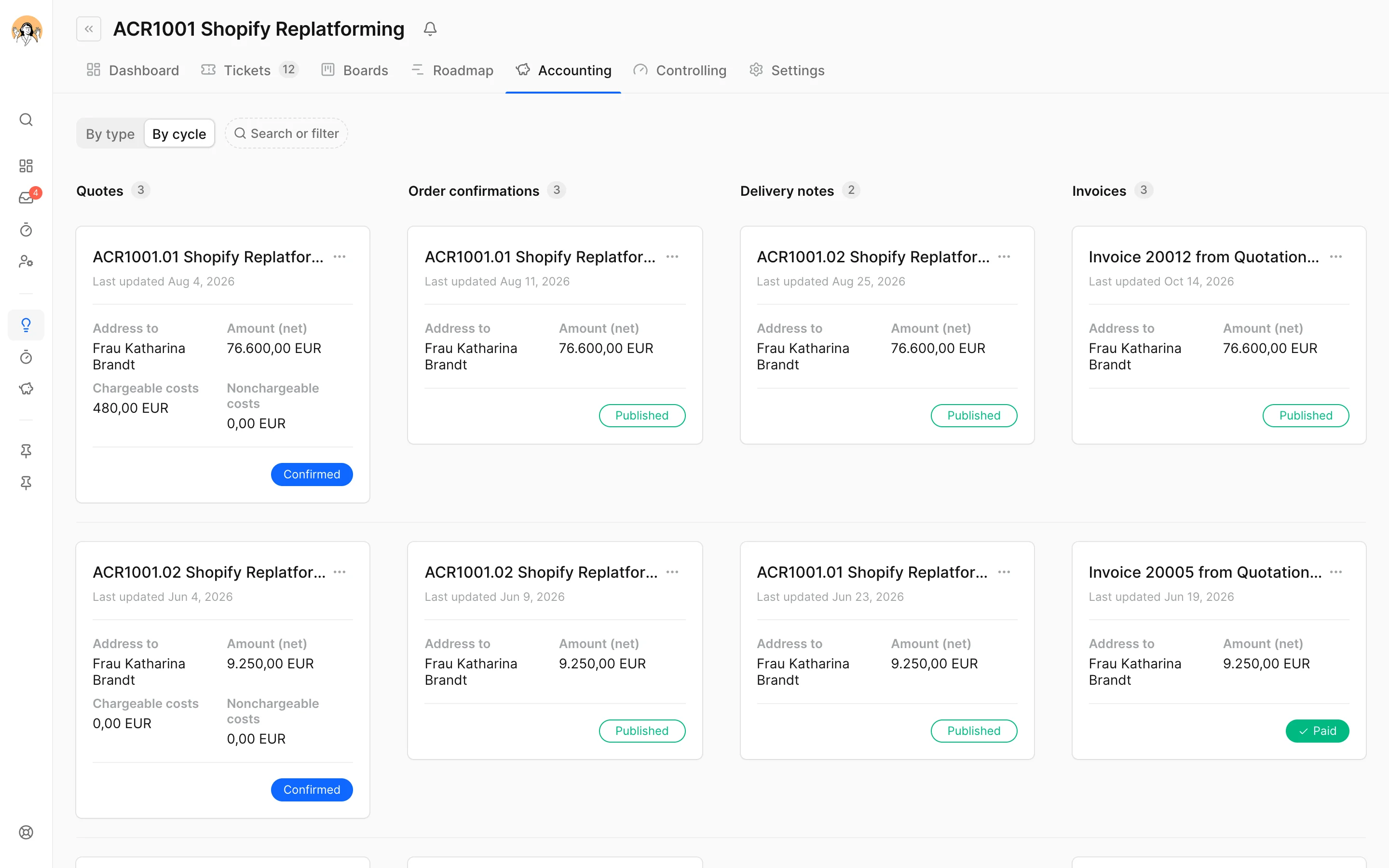
Quote confirmed, order confirmation there.
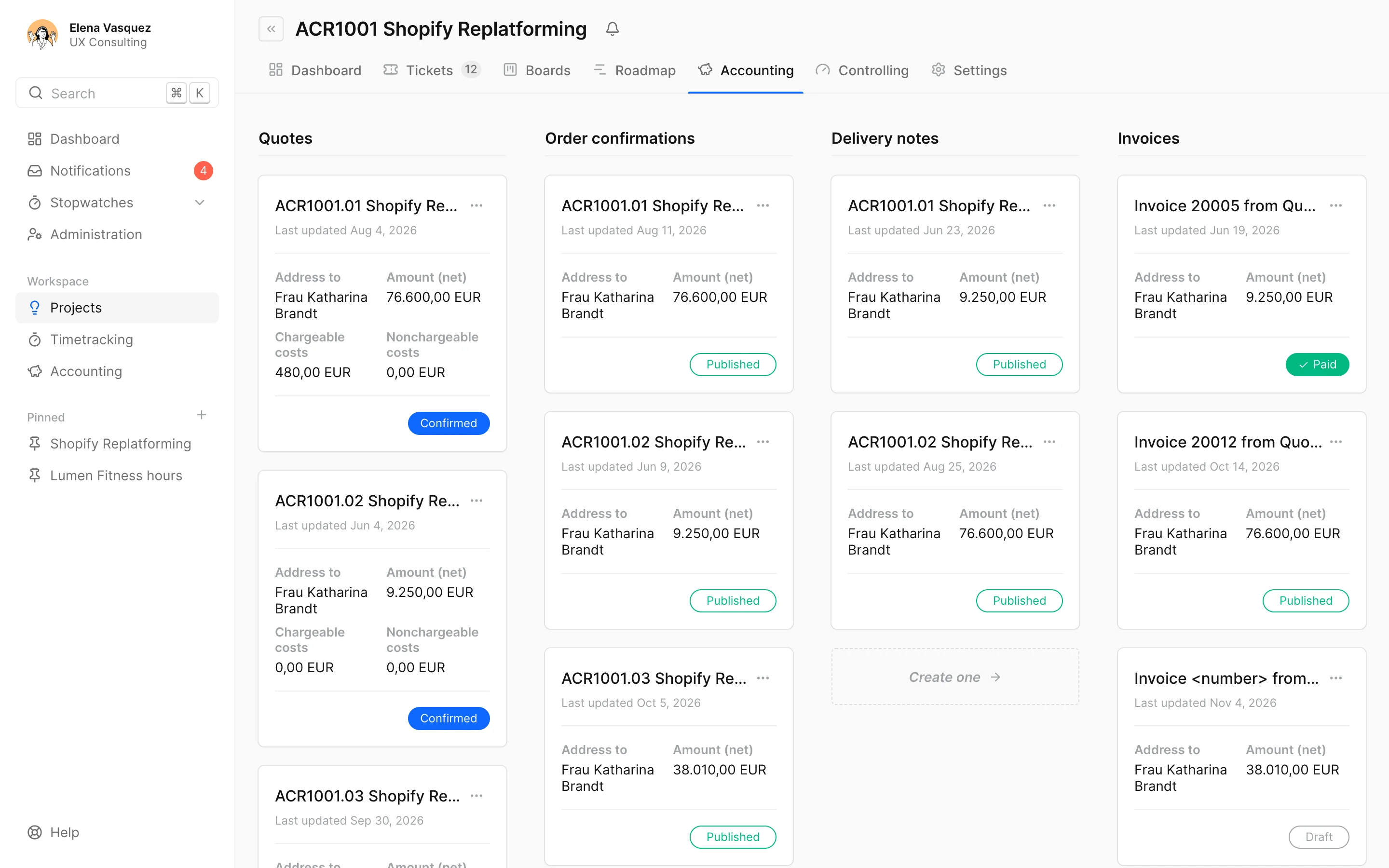
When the client confirms, docket creates the order confirmation with the quote's positions and offers to put what was sold into the project budget. Delivery notes and invoices come from it. The "By cycle" view puts each job in a row of its own.
- Down-payment, partial and final invoice, the final one deducts it all
- A warning when a cycle's invoices exceed the quote
- The client's signed confirmation stays with the quote
- Search and filter by number, contact, status or invoice type
Phases, positions, services. The prices are yours.
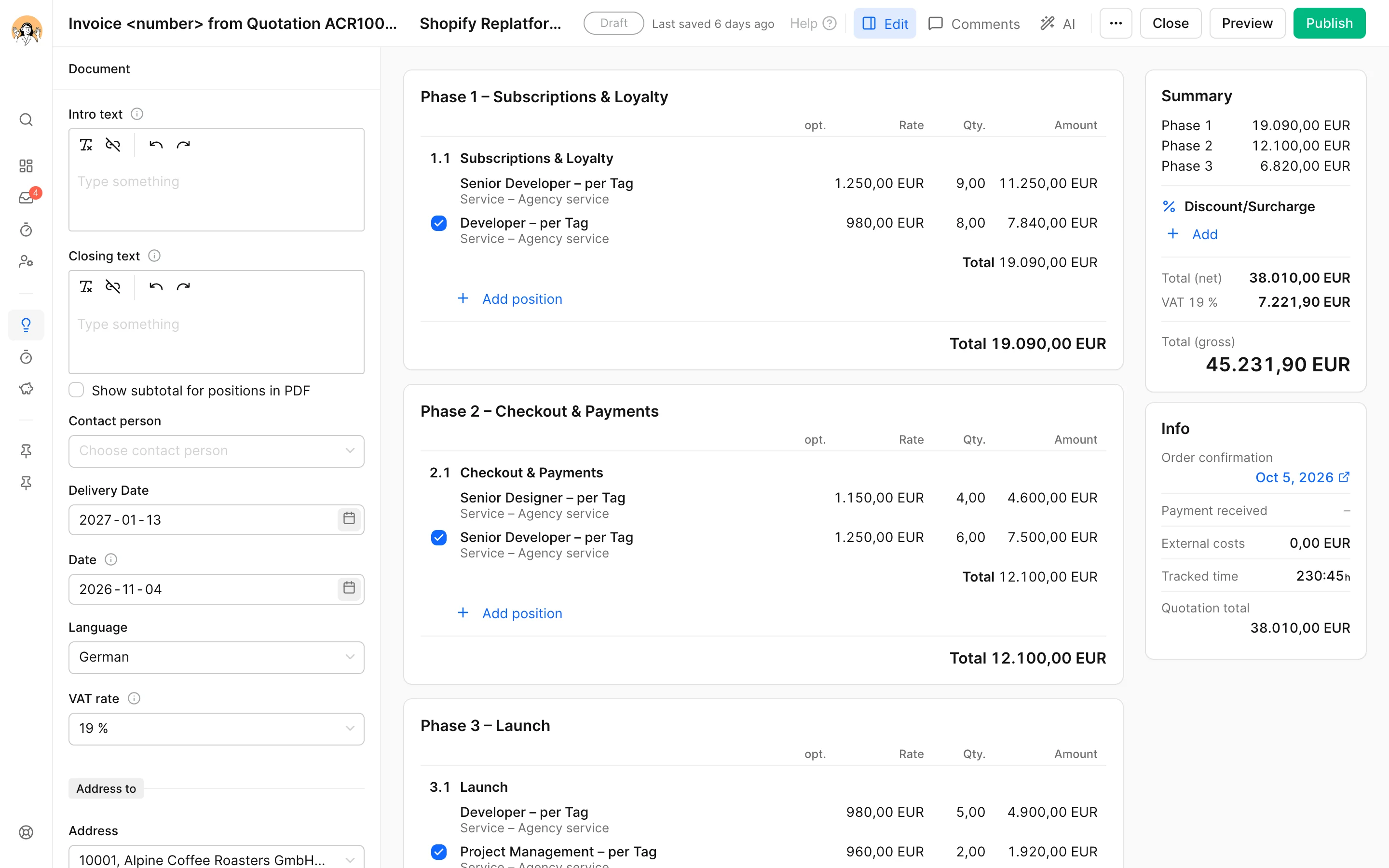
A document is made of phases with positions, and each position of services from your price list, in hours or days. docket takes the rate from the project, the client or the price list. The total is on the right, and below it what the cycle has already recorded.
- Optional items, a discount or surcharge on the whole document
- VAT per line, reverse charge and third country per client
- Templates for recurring quotes and invoices
- Document language, your own texts and your own font
Bill by effort without typing it out.
An invoice without an order confirmation takes the project's tracked time as positions. Or you give the AI an hours list or a sentence and it proposes the positions. docket always prices them, at the project's rates. Never the AI.
- "One position per person, billable hours only"
- Excel or CSV as the hours list
- What the quote sold goes into the project as its budget
What an invoice has to do.
Published is published.
Publishing gives the invoice its number, and docket keeps the PDF as it went out. If you spot a mistake before the client has it, an admin takes it back, with the same number. After that: a cancellation and a corrected invoice, each with its own number.
E-invoicing without an add-on.
Every German invoice is a ZUGFeRD PDF with the XRechnung inside, to EN 16931. More on the e-invoicing page.
Overdue means overdue.
Payment terms per client, the due date on the invoice, and an invoice unpaid past its due date shows as overdue in accounting. Marked as paid, with its date, the payment shows on the invoice.
Short questions, short answers.
What's the difference between down-payment, partial and final invoices?
A down-payment invoice bills a percentage or fixed amount of the job before or during the work. A partial invoice bills only the positions you select. The final invoice bills the whole job minus everything already billed in the cycle; after it, the cycle takes no more invoices.
Does docket send the invoices to the client?
No. You open or download the PDF and send it yourself, so the invoice stays in your mailbox and in your tone. For German invoices, the PDF is the e-invoice too.
Can I still change a published invoice?
As long as the client doesn't have it: yes, an admin takes it back with the same number, docket asks why and keeps the previous PDF. If the client has it, it's canceled and issued again as a copy. More in the billing cycle in the docs.
Can we bill hours by effort?
Yes. An invoice without an order confirmation takes the tracked time as positions, or the AI turns an hours list into positions that docket prices at the project's rates.
Does it work in Austria and Switzerland?
Yes. docket writes invoices under German, Austrian and Swiss law, in Switzerland with the QR-bill, in euros or francs.
Who can see quotes and invoices?
Project managers and admins. Time trackers and basic users see neither rates nor amounts. Only admins publish. More on roles in the docs.
Invoices from the work, not from a spreadsheet.
Try it free for 14 daysNo card. On to all features or to the editor in the docs. Questions? info@docket.rocks.
