Features · Project management
Tickets, boards, roadmap. And the budget right next to them.
Every project is a stream of tickets: prioritised, discussed, done. Because time is booked on the same ticket, the project always knows what the work has cost. No ticket system here and billing there.
No card, no sales call. Jira projects can be linked.
The work in one place.
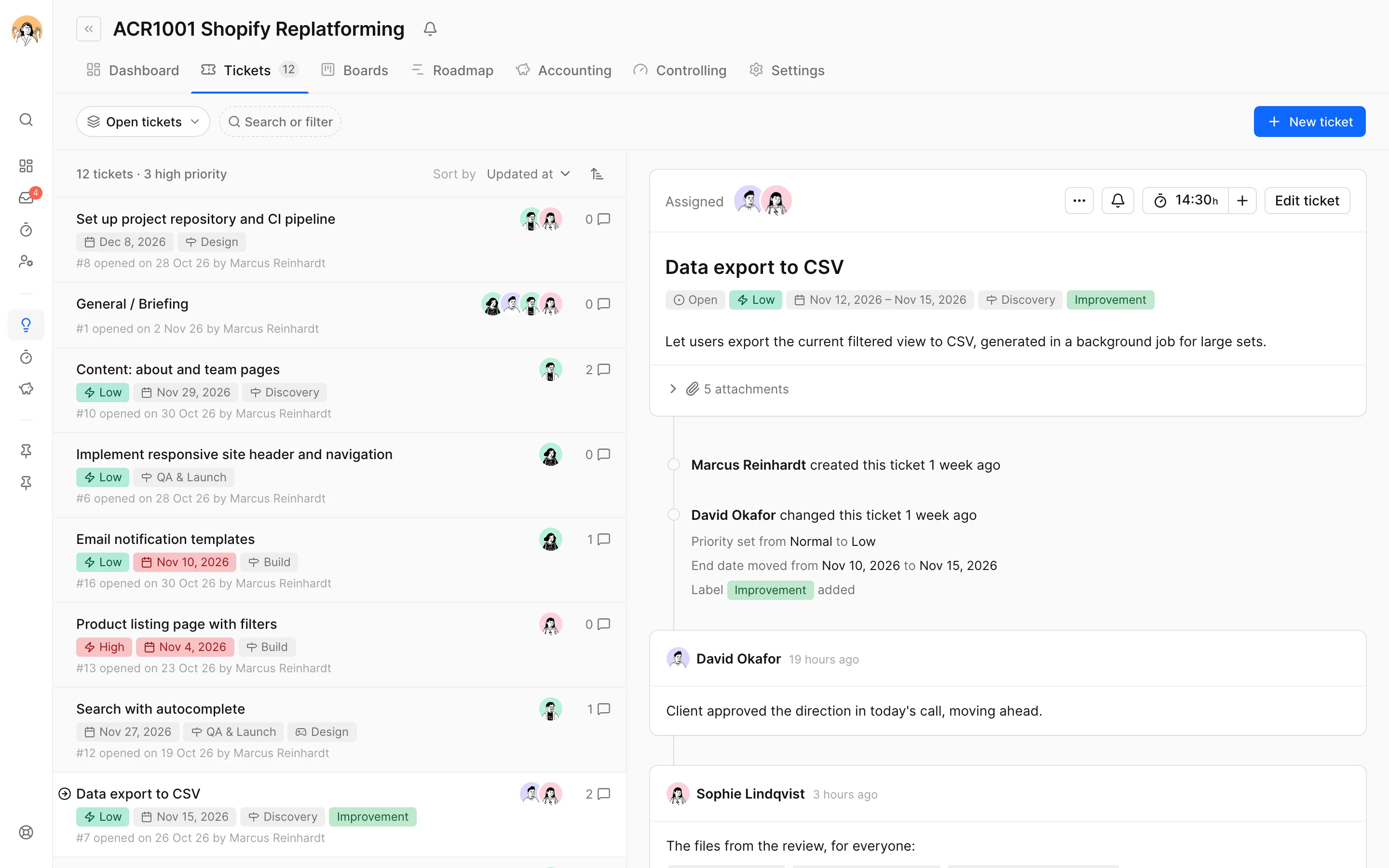
Tickets that carry the whole conversation.
Todos, comments, attachments and every change sit on the ticket, the history in plain sentences. Whoever follows a ticket hears about it, and whoever replies to the email writes a comment.
- Priorities, labels, deadlines and assignments
- @-mentions and reactions, one inbox for everything
- Saved views such as "Overdue" or "Mine"
- Search with ⌘K across tickets, comments, projects and documents
Phases on a timeline you can grab.
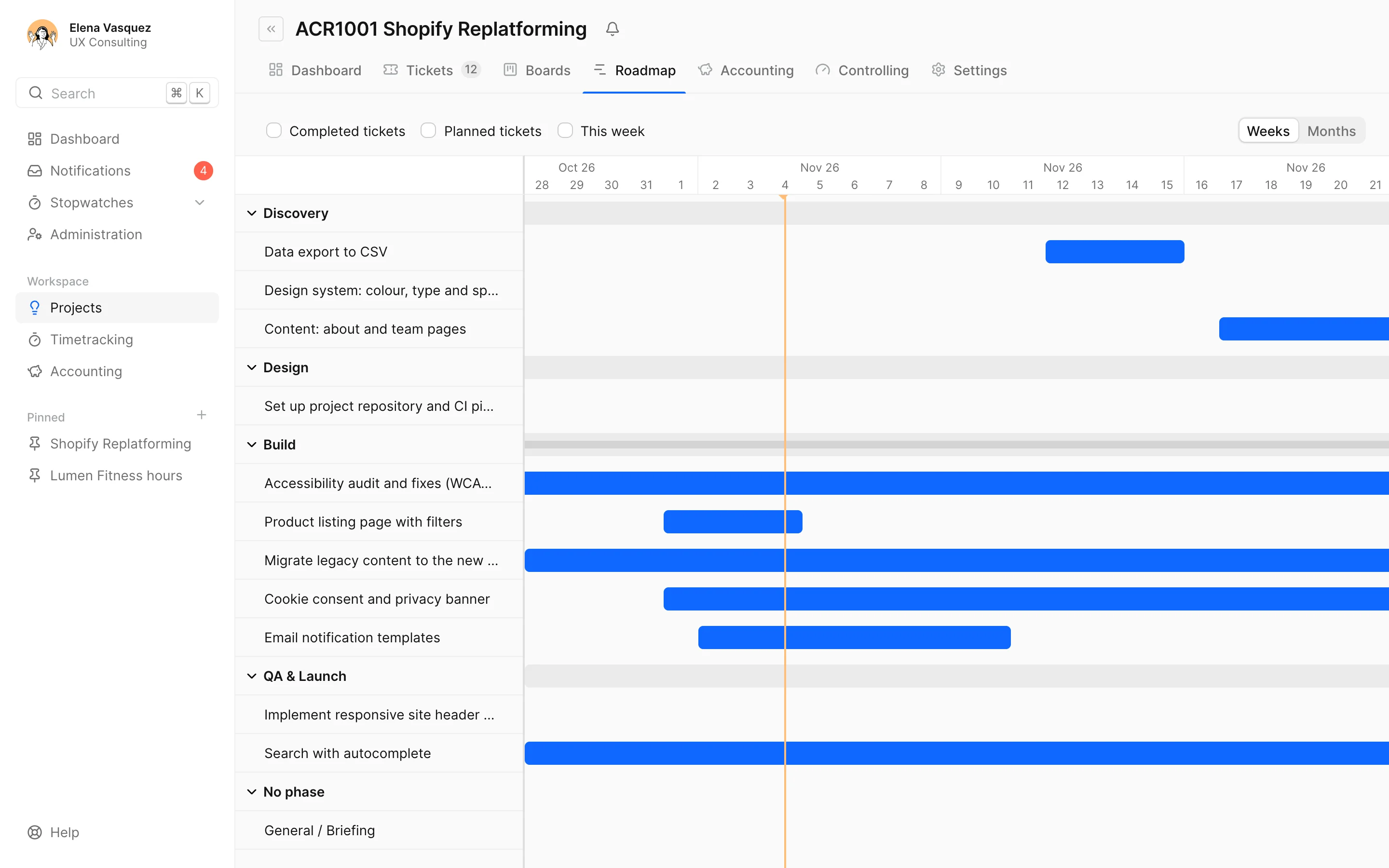
The roadmap shows a project's phases by the dates that matter. Drag them to replan, switch between weeks and months, and what's late stands out. Small projects don't need it; it's optional.
- Replan phases and tickets by drag & drop
- Planned dates against the tickets' dates
- Today is always marked
Every project at a glance. For you and the client.
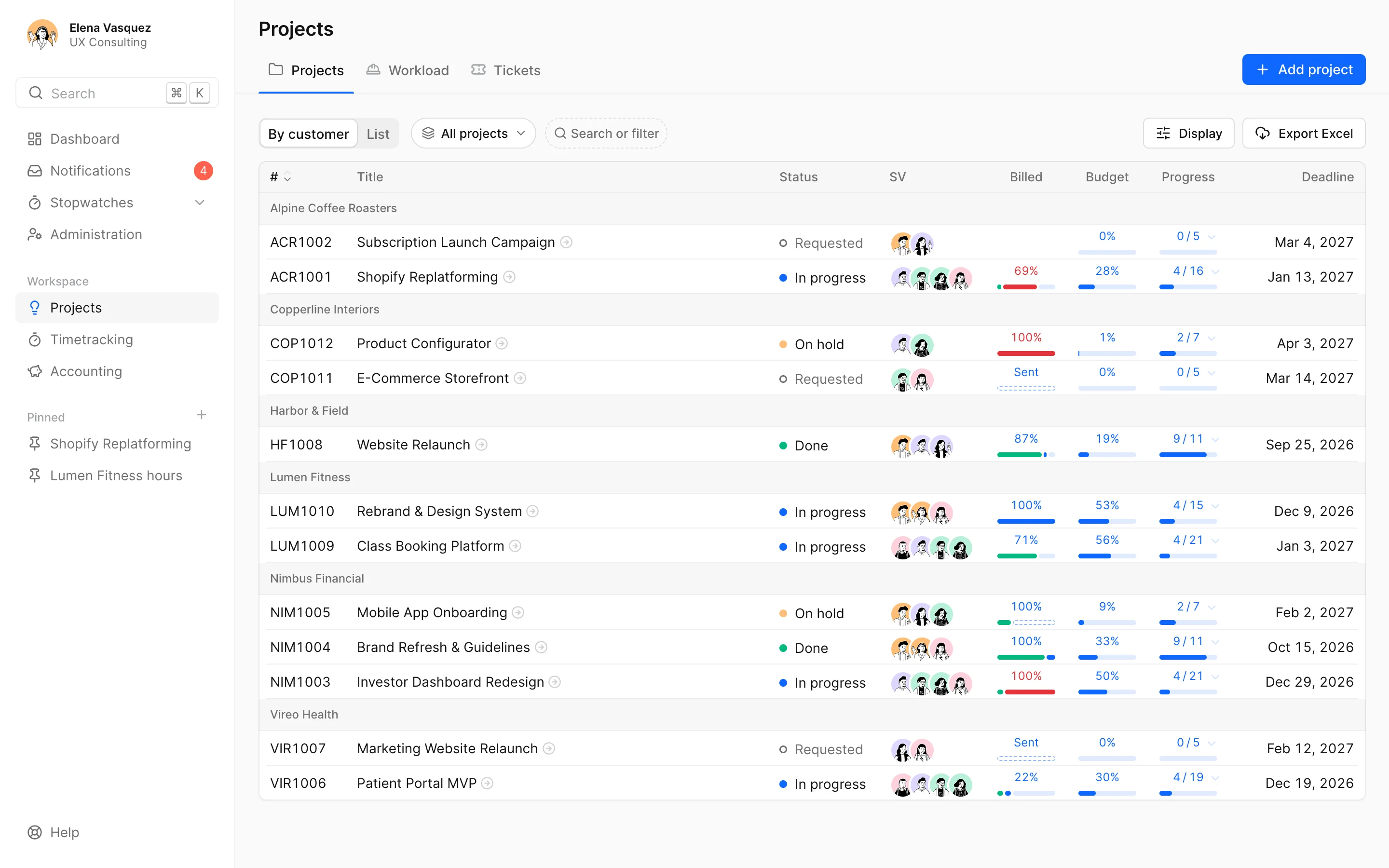
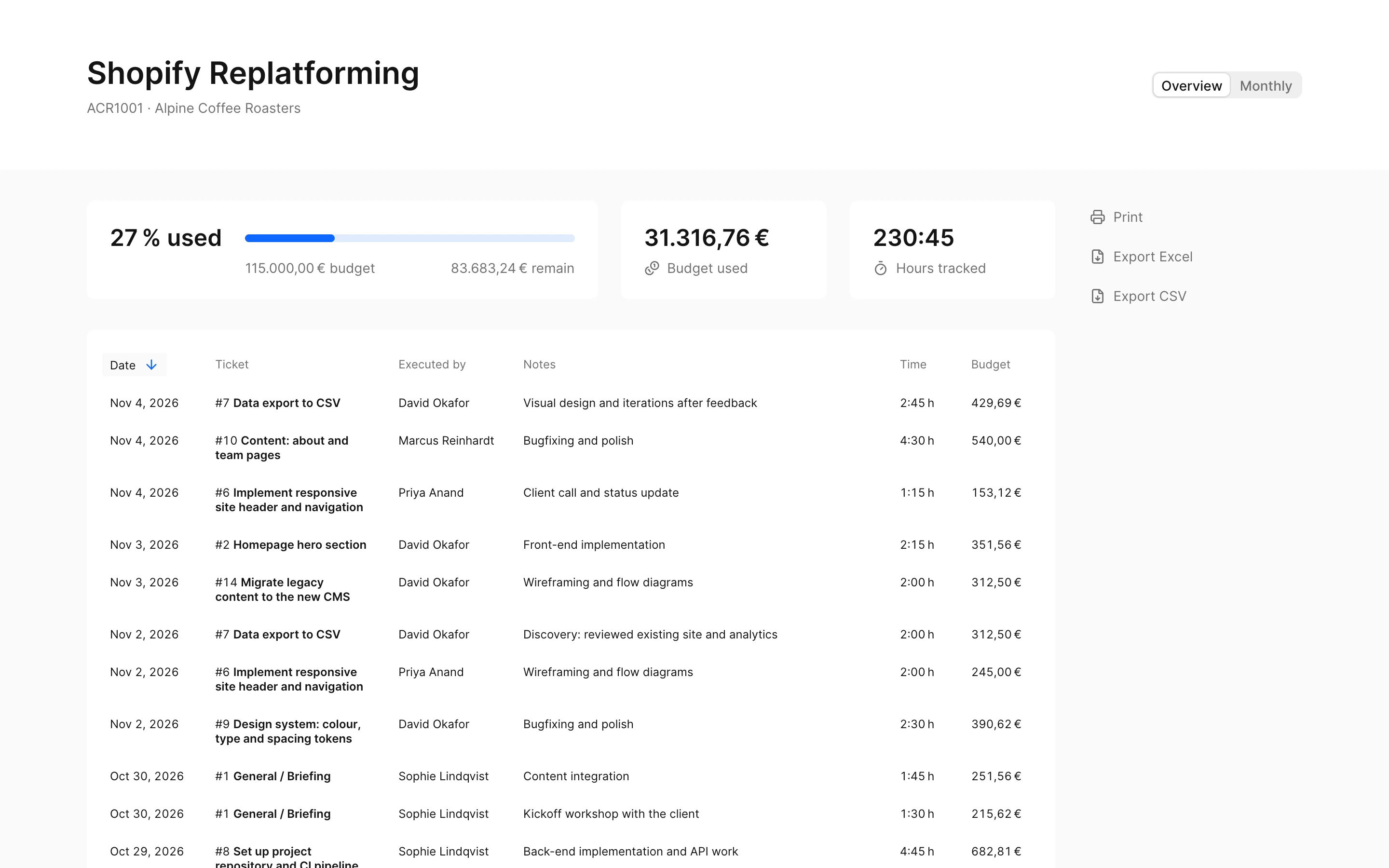
The project list is grouped by client, with budget used, progress, deadline and billing status. The client gets a link with time, budget and, if you like, the state of every ticket, without an account and without status emails.
- Project dashboard with key figures, activity and open tickets per person
- Pins for the projects and reports you open every day
- Create and comment on tickets from Claude or ChatGPT too
Short questions, short answers.
Does docket replace our ticket system?
For most agencies, yes: tickets, boards and roadmap are in, and time sits on the ticket. If you work in a client's Jira, link the project and docket mirrors the issues. More on Jira time tracking.
Can clients follow along?
Yes, through a shared link: a web page with the project's time, budget and, if you like, its tickets, without a login and always up to date. There are no client accounts to work in docket. More on sharing reports.
Who gets notified?
Whoever follows a ticket or project, for example because they created it, are assigned or were mentioned. It lands in the inbox in docket and comes by email. More on notifications.
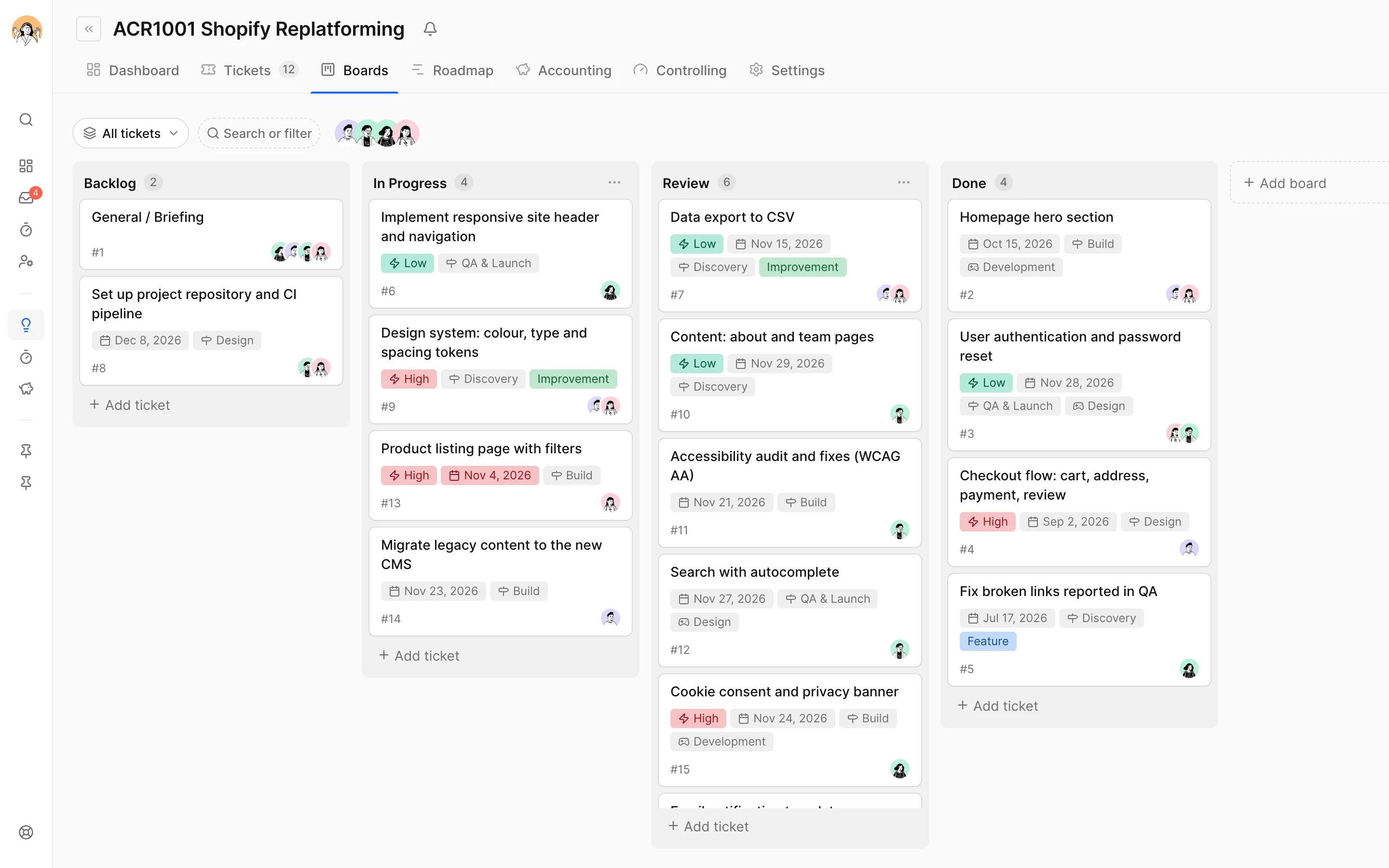
Can we add our own board columns?
Yes. Every project starts with Backlog and Done; you add further columns such as In Progress or Review yourself.
Is there a Gantt chart?
The roadmap is a timeline of phases and tickets that you plan by drag & drop. It doesn't know dependencies between tasks the way classic Gantt tools do.
One place for the work. And for what it costs.
Try it free for 14 daysNo card. On to all features or to time tracking. Questions? info@docket.rocks.
