Decide what gets done
Tickets, boards, labels and a roadmap you can drag around. The whole project, from briefing to “done”, in one place.
Tickets, time tracking, quotes, invoices and forecast in one tool. Our own agency runs on it every single day. Now we're letting other agencies in. Shoes off, please.
Free in public beta. No credit card, no sales call, no “quick 15-minute intro”.
An agency from Frankfurt that tried a lot of tools. None of them really fit the daily grind of an agency.
So, bit by bit, we built what fits us. No pivot, no market gap, no pitch deck. We just wanted to stop copying numbers between tabs. docket has been our everyday tool ever since, which is why it's full of the small stuff you only learn by sending real invoices to real clients.
Three stations, one set of data. What you plan gets tracked. What you track gets billed.
Tickets, boards, labels and a roadmap you can drag around. The whole project, from briefing to “done”, in one place.
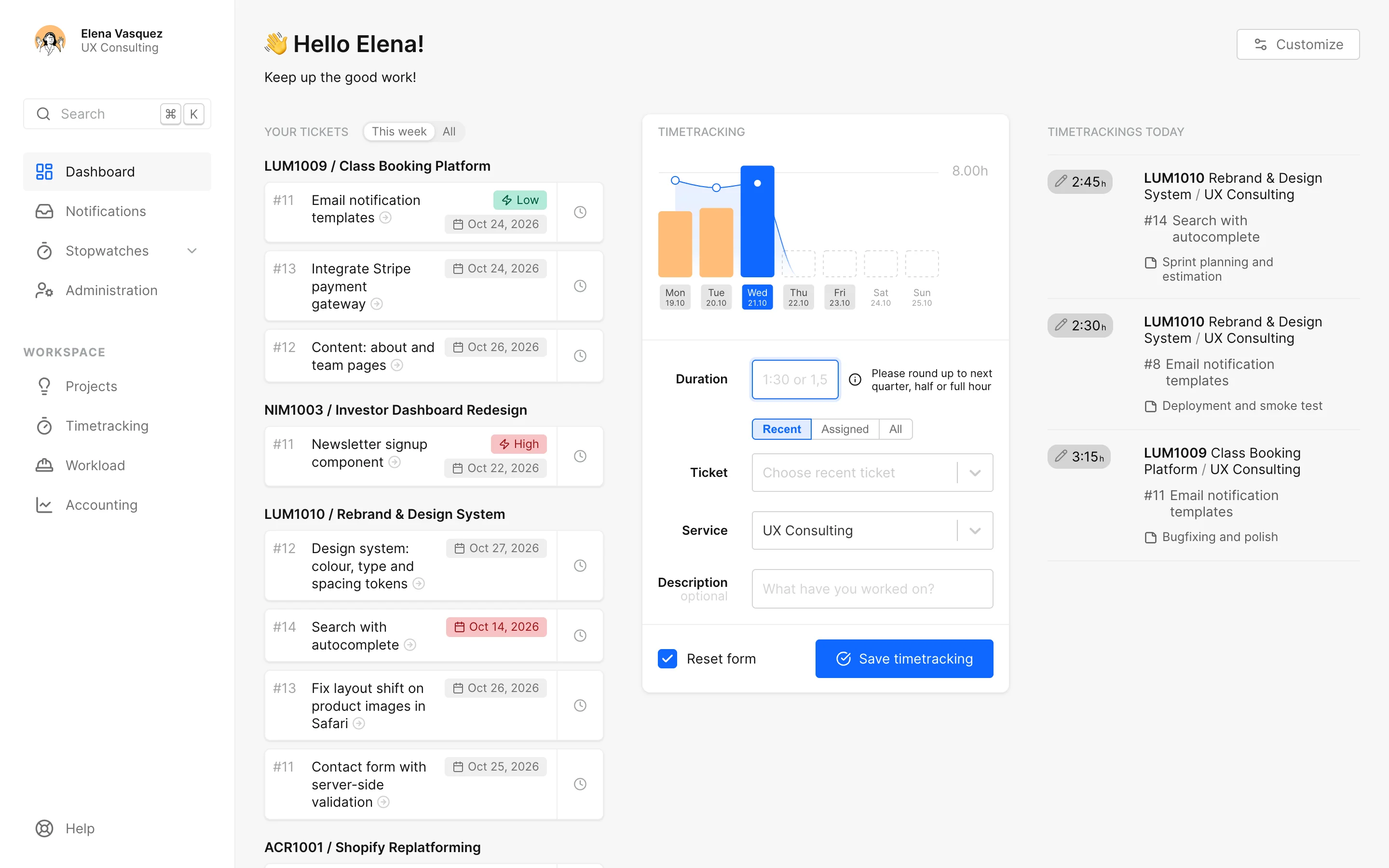
As many stopwatches as you need, side by side. Pick the ticket afterwards. The hours flow straight into reporting, budgets and the invoice.
Quotes, invoices, external costs and forecast. The commercial side hangs on the work that earned it.
Anyone can build a ticket board. This is what decides whether your Friday afternoon stays calm.
Down-payment, partial and final invoices that deduct everything already billed on their own. docket complains loudly when something doesn't add up.
Split one supplier invoice across several projects and mark the exact spot in the PDF. The client gets a clean overview plus only the relevant pages. Not 84 pages for one line item.
Mark a supplier as subject to the German artists' social insurance (KSK) and docket adds the levy to every invoice automatically, at the official rate for the invoice year. Your accounting team will send flowers.
Shareable, read-only links with time, budget and, if you like, the state of every ticket. Clients can look as often as they like. You stop writing status emails.
Give work a service period and the forecast builds itself: what's billed, paid and still open. Nobody updates forty tickets on Friday.
A one-day job needs a title and a deadline. A six-month project gets phases, budgets and a roadmap. docket is fine with both and never forces micromanagement.
The details above sit on this foundation. Six areas that talk to each other.
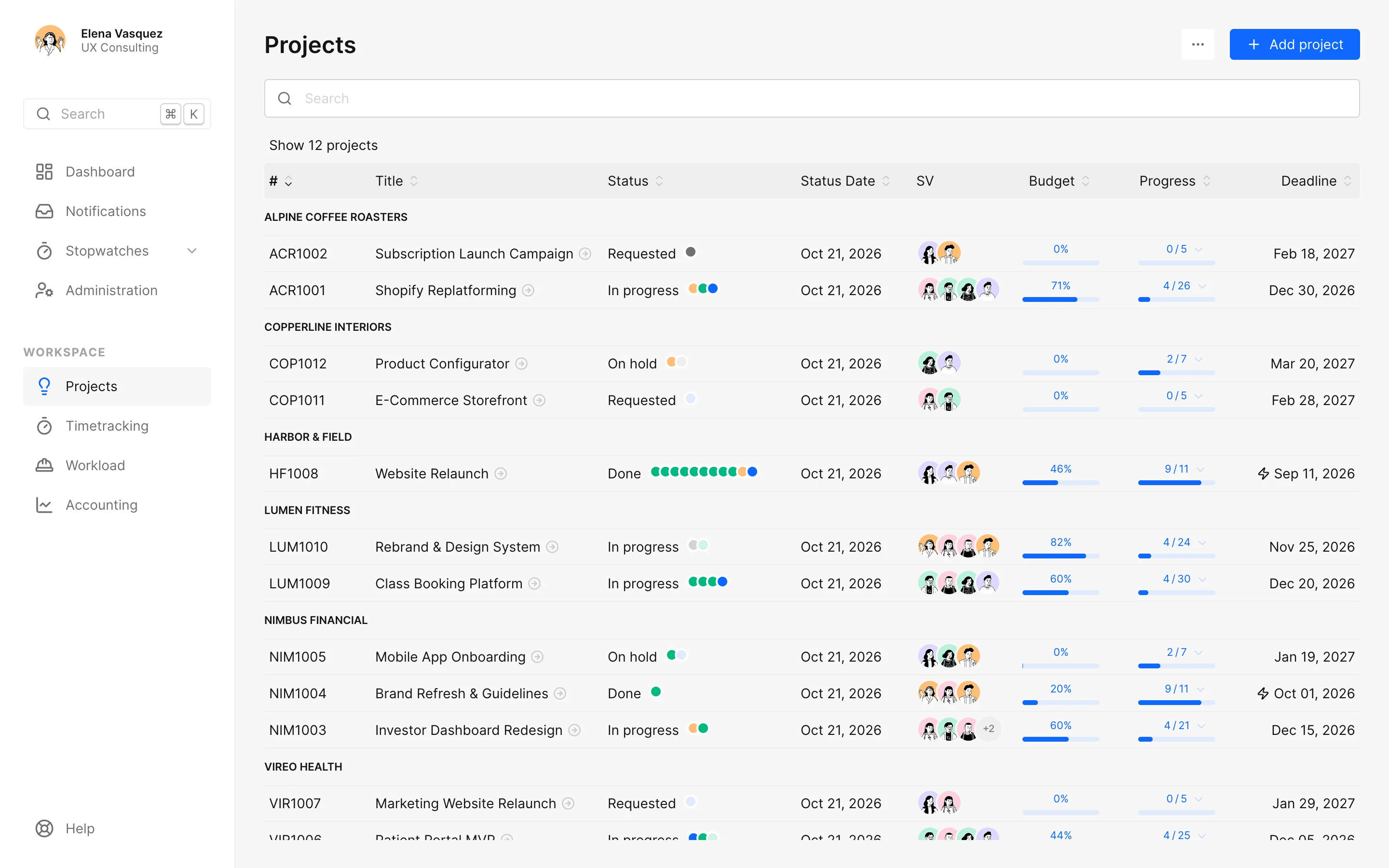
All projects in one list, grouped by client: status, budget used, progress and deadline side by side. Open one and the dashboard shows budget, open work and who's sitting on it.
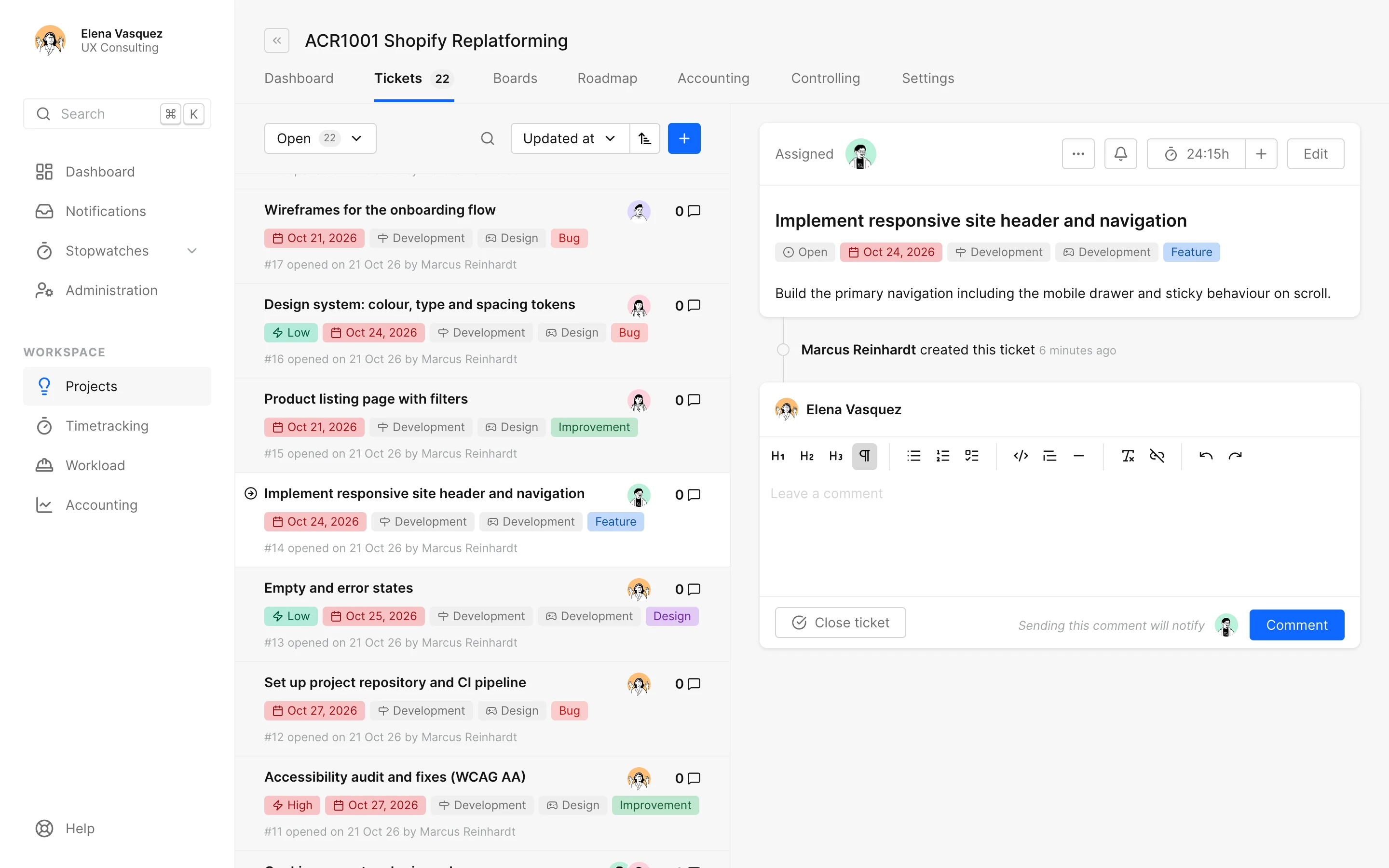
Every project is a stream of tickets: prioritised, labelled, discussed, done. Todos, comments, budgets and tracked time hang on the ticket. Nothing gets lost in chat.
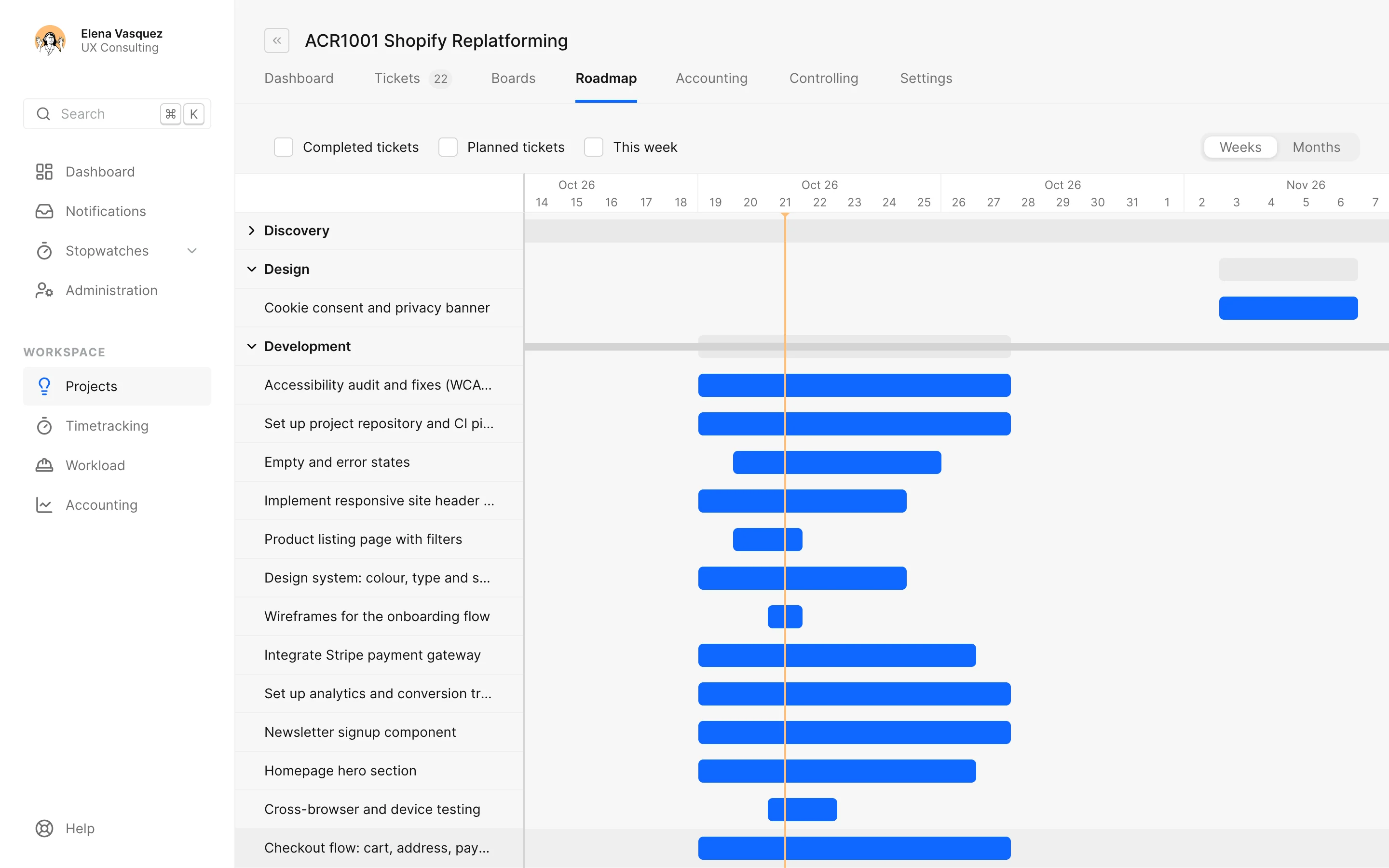
Phases on a timeline, by the dates that matter. Drag to plan, switch between weeks and months, and see what's running, what's late and what's coming. Optional: small projects don't need it.
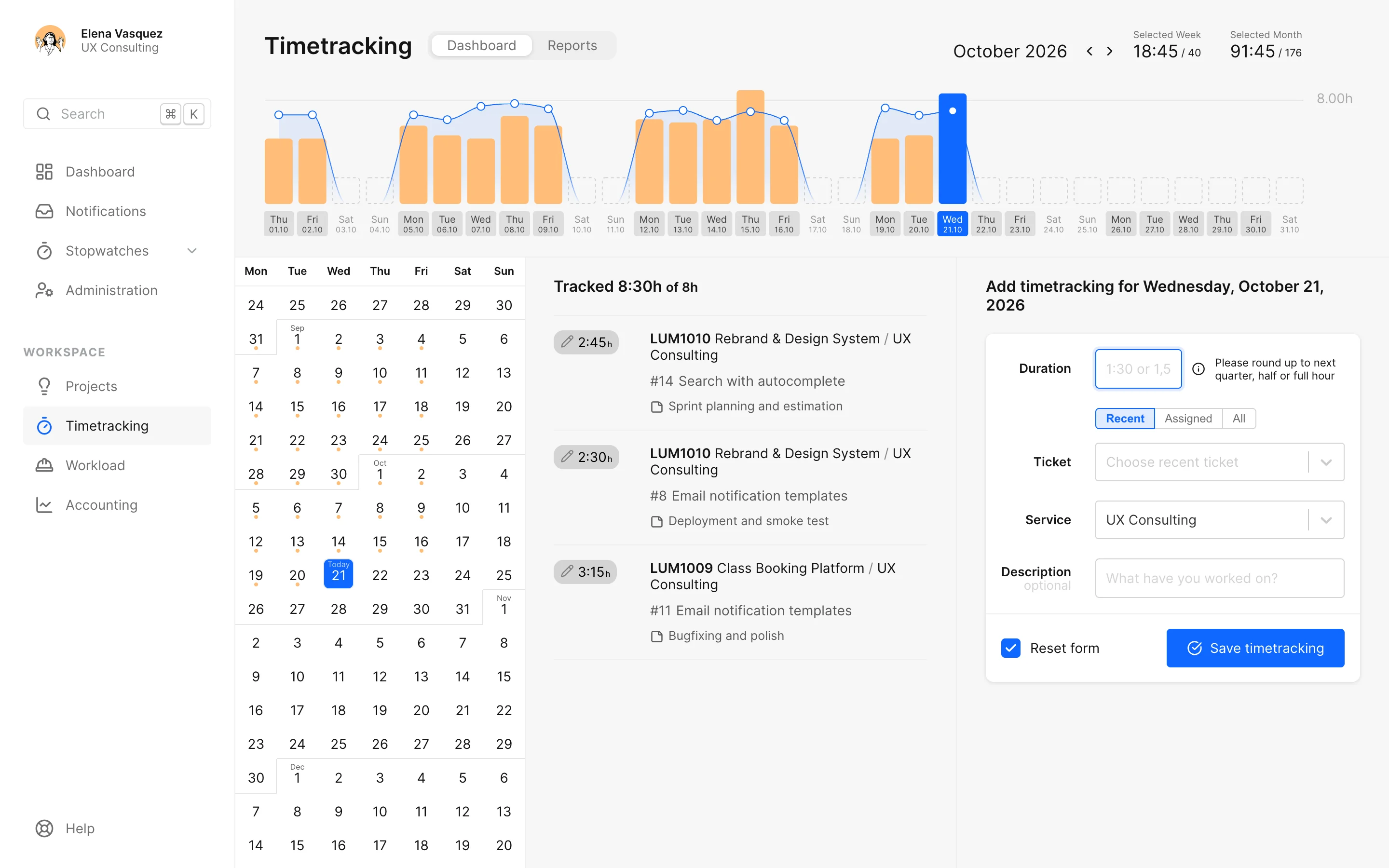
Track on the ticket, check the week on one screen, and the hours flow into budgets, reports and billing. No extra tool, no Monday-morning guessing.
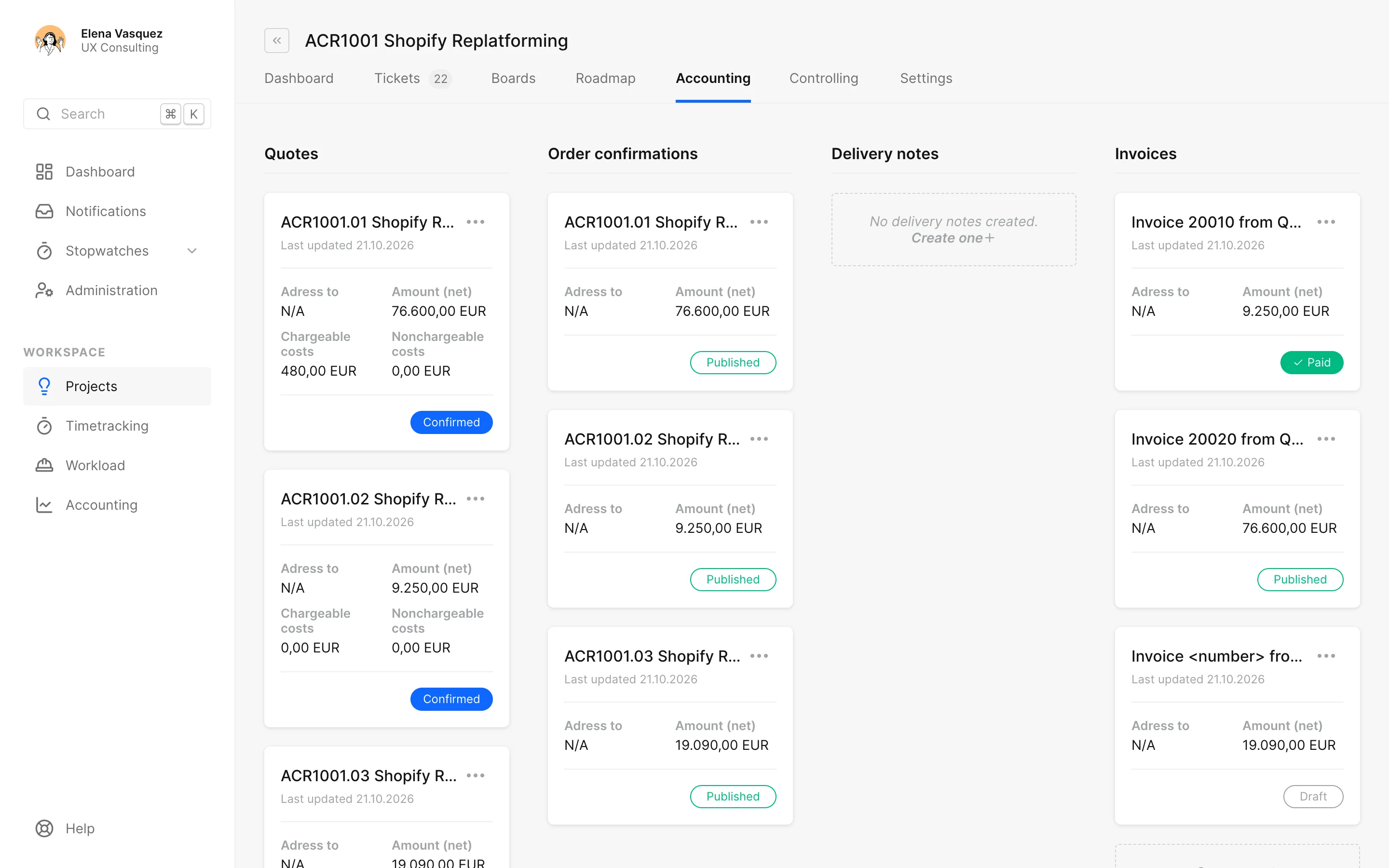
Quotes, order confirmations and invoices live on the project they belong to. So do the supplier invoices you pass on. The forecast shows what's billed, paid and still open this year.
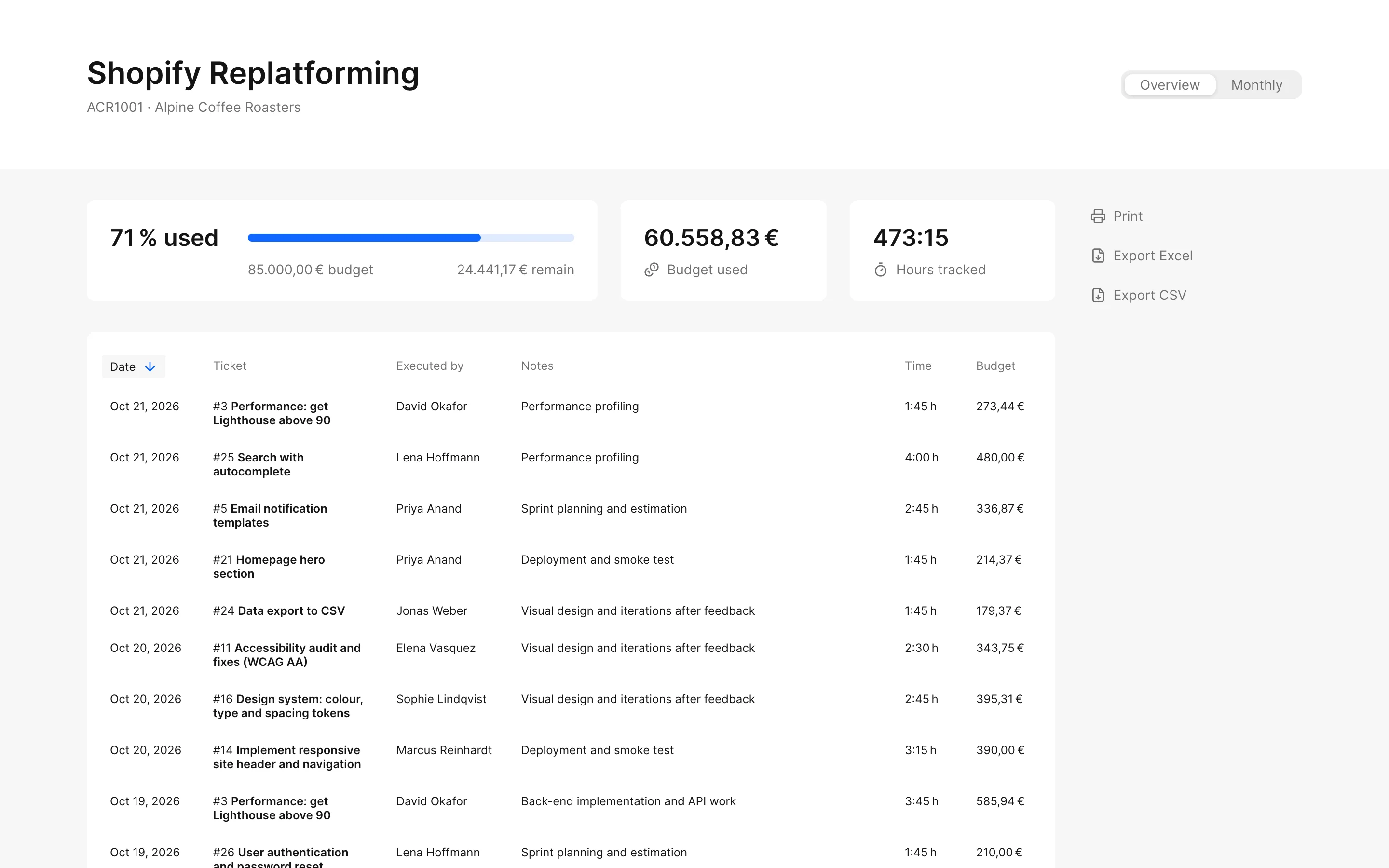
Link a project and docket mirrors the issues, read-only. Jira stays the source of truth for the work. Time is booked on the mirrored ticket, worklogs from Jira or Tempo come across, and every hour lands in budget, client report and invoice.
A read-only view of the project for the people paying for it. No login, no export, no slide deck. One link, always current. You decide whether budget and names are visible, and you can change or delete it any time.
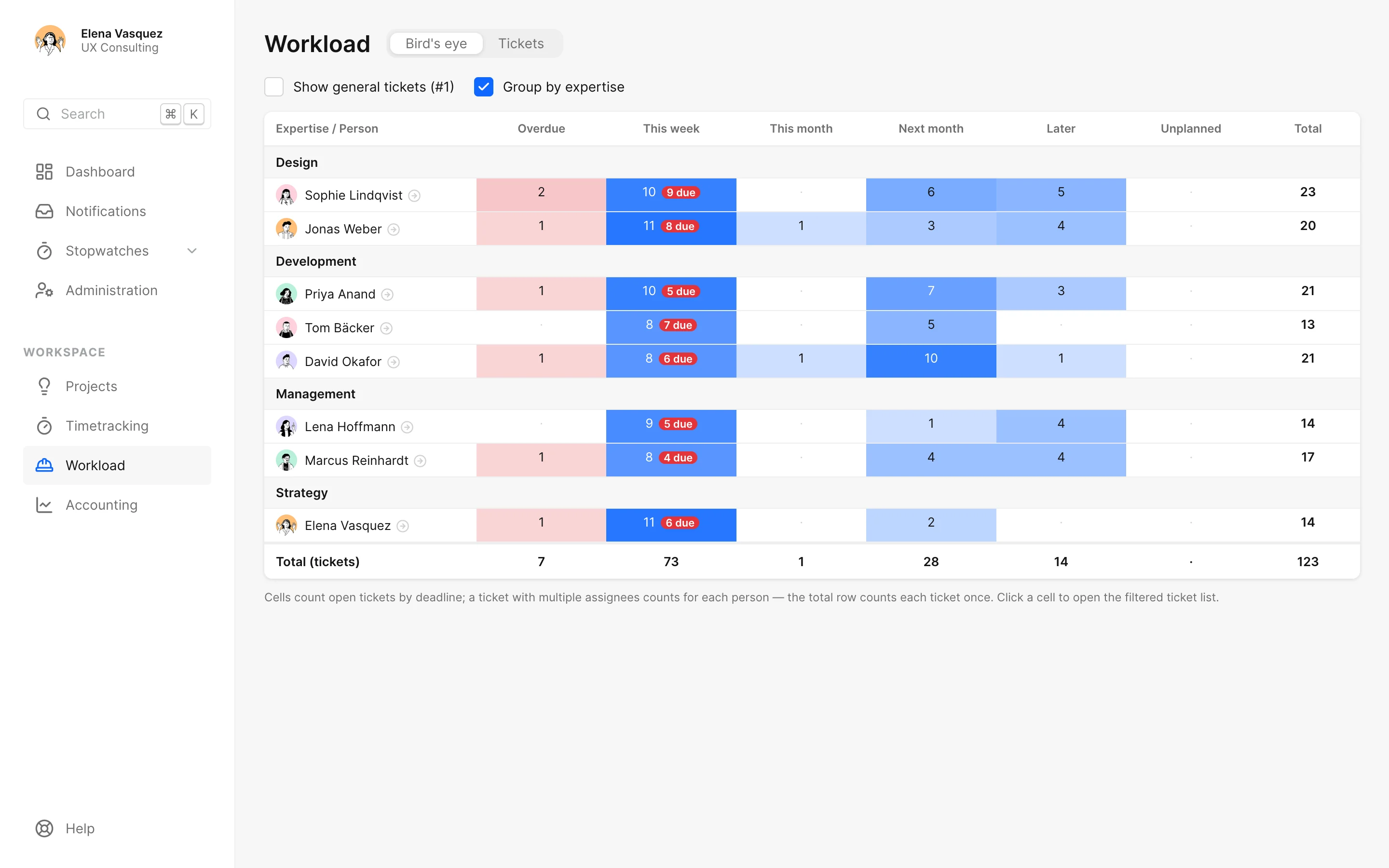
Who has air next week and who definitely doesn't: planned work against real working time, per person. No spreadsheet.
The native macOS companion. Your timers in the menu bar, one keystroke away. Even when docket isn't open.
Every role sees what it should. Revenue, budgets and invoices stay with PM and Admin. Two-factor login is optional; admins can make it mandatory.
You bring your own AI (Claude, ChatGPT, Cursor …) and connect docket via MCP. The AI sees exactly what that person sees in docket, no more. If you don't connect anything, nothing leaves.
An admin switches it on, everyone connects for themselves, one click disconnects again. The AI may only book, change and delete your own time entries, and only after asking you.
Positioning by leaving things out.
Every seat, every role, the full feature set. No card, no trial clock.
Per seat and month, cancel monthly. Every feature in every seat, no per-module upsell. After the beta, new workspaces start with 14 days free.
It's a tool for tickets, time and money that connects those three things. It doesn't do your laundry.
No. Small project: a title and a deadline. Big project: phases, budgets, roadmap. docket is fine with both and never demands micromanagement.
Stay there. We mirror the tickets, and time and money land with us: in the budget, the client report and on the invoice.
No. The connection is off by default until an admin switches it on, and it only works for people who connect an AI themselves. What the AI reads goes to its provider, under your contract with them.
In the works: XRechnung and ZUGFeRD, for the German B2B obligation. You'll find the current status on the roadmap.
Currently €0, every seat, every role. After that €5 to €20 per seat and month, depending on the role. Details on the pricing page.
Evernow, an agency from Frankfurt am Main. docket has been part of our daily work since 2016.
Questions first? [email protected]. A human replies. Probably the one who built the feature.