Get the numbers
Consultant number, client number, the start of your fiscal year and the accounts to book on, among them one collective account each for customers and suppliers.
DATEV · Booking batch · Documents
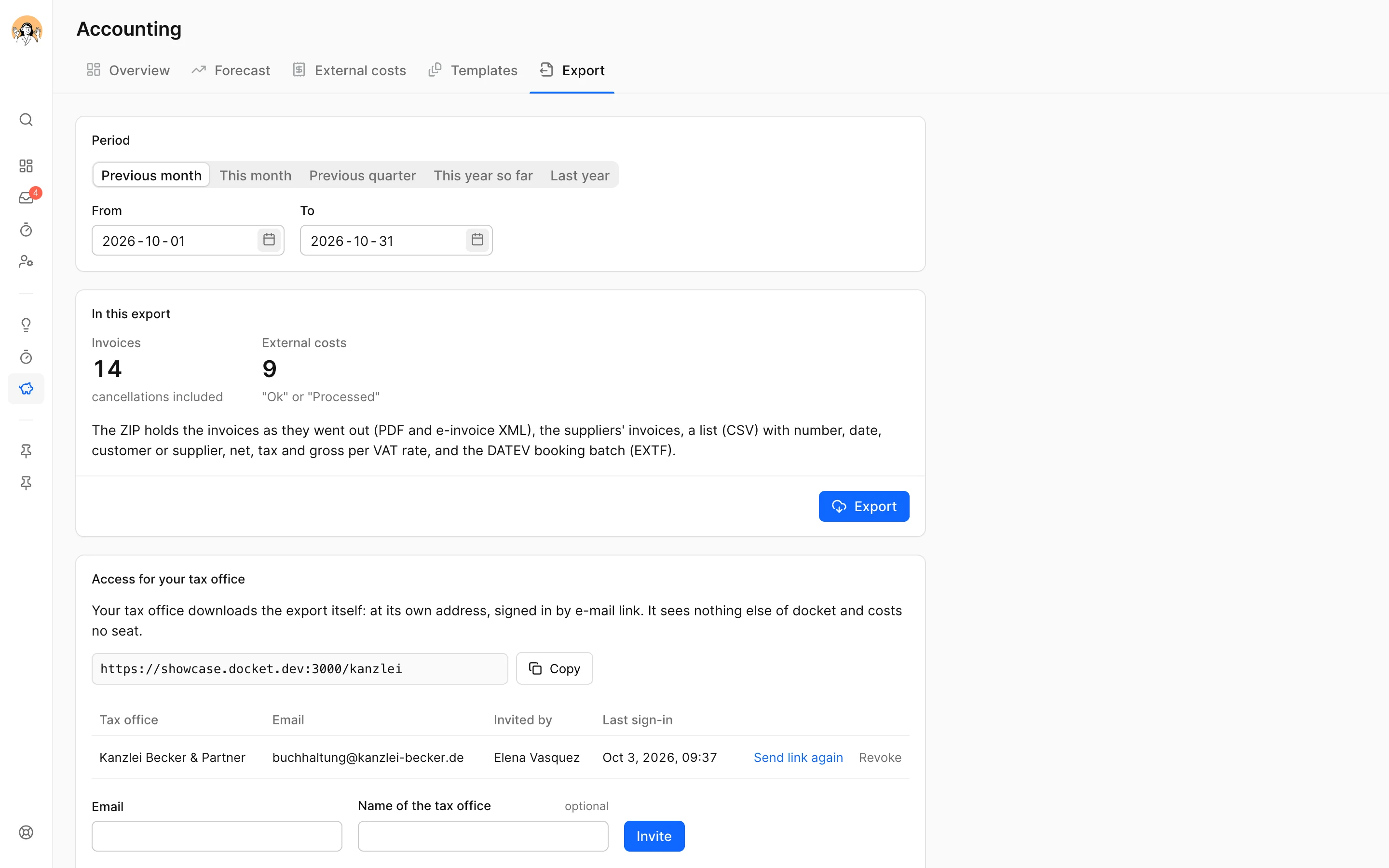
docket packs a period's invoices and external costs into one ZIP: the documents, a list of them and, if you want it, the booking batch in DATEV format that your tax office reads into DATEV. Nobody types an invoice a second time.
No card, no sales call. The export is included in the price.
You pick the month, the quarter or the year, and docket collects what was issued and checked in it. The figures are the documents' own: what the invoice says is what the list and the batch say.
Without the booking batch the export needs no setup: documents and list are there right away. For the batch you ask your tax office for a few numbers.
Consultant number, client number, the start of your fiscal year and the accounts to book on, among them one collective account each for customers and suppliers.
Switch the booking batch on under Integrations and set the accounts. docket fills in the standard accounts of SKR03 or SKR04 at the push of a button; your tax office names the two collective accounts.
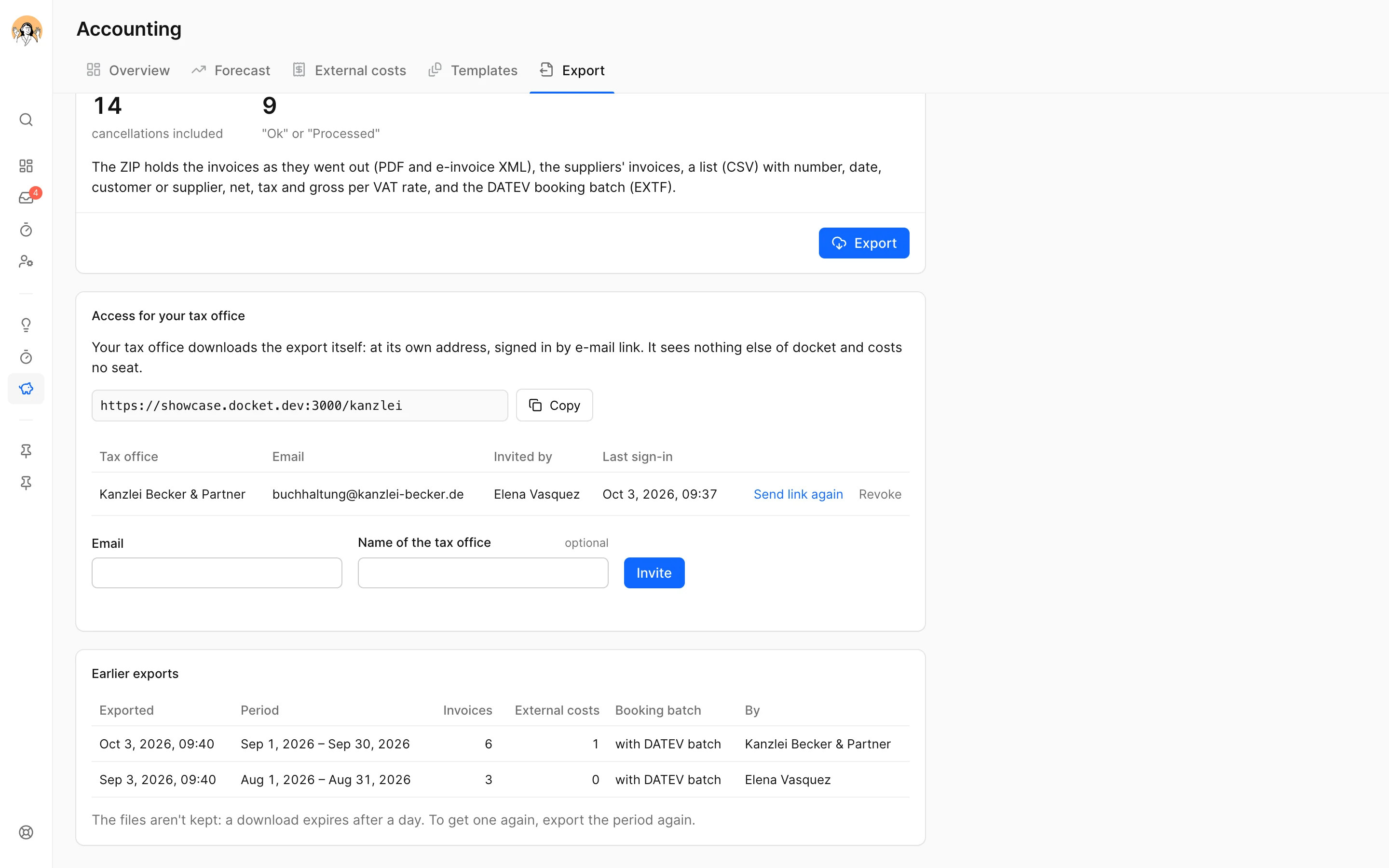
Pick the period, export, send the ZIP to your tax office. docket remembers which documents already went out.
You set one revenue account per VAT rate and per kind of invoice without German VAT, such as reverse charge or third country, plus an expense account for external costs. docket books every invoice gross on the account of how it is taxed and decides nothing per line.
The standard accounts of both charts are on file, for example 8400 and 4400 for revenue at 19 %. If your tax office keeps other accounts or longer account numbers, you enter theirs: four to eight digits, as DATEV takes them, the collective accounts with one digit more.
Customers and suppliers run through one collective account each. You don't set up a creditor account for every photographer and every printer, and the booking text still says whose document it is. If your tax office keeps debtor or creditor numbers, you enter them on the customer or supplier.
docket books external costs with the tax key of their rate, 19 % or 7 %. Where you couldn't deduct the VAT, as a small business for instance, the document goes gross and without a key into the expense.
Export a period again and the list marks what an earlier export already held. If an account is missing for a document, it stays out of the batch and the list says so.
docket books an advance-payment invoice like any invoice, on the revenue account of how it is taxed, not on advance payments received; the final invoice goes into the batch with its remaining amount. Incoming payments and cost centres aren't exported.
You tell docket the month your fiscal year starts. A period across that line makes two batches, one per fiscal year, because DATEV asks for it.
You invite your tax office with its e-mail address. It signs in by link, picks the period and downloads the ZIP, without a docket account and without a seat you pay for. It sees the export and nothing else.
It is a file export in DATEV format (EXTF), the format DATEV Kanzlei-Rechnungswesen reads as a booking batch. docket sends nothing to DATEV itself: you hand the ZIP to your tax office, and they read the batch in. Nothing has to be ordered or enabled at DATEV for it.
No. Without accounts the export holds the documents and their list, and the tax office books them itself. You switch the booking batch on when your tax office wants it.
Every invoice issued in the period, cancellation invoices included, and every external cost with the status "Ok" or "Processed". Drafts and external costs still to clarify stay out. The document date counts.
Not in the booking batch: the DATEV format carries bookings, not files. The PDFs sit beside it in the ZIP, named by document number, and the tax office files them its own way.
Workspaces in Austria and Switzerland get the documents and the list. The booking batch in DATEV format is for workspaces in Germany.
Yes. An admin invites it with its e-mail address, and it signs in at an address of its own by e-mail link. It needs no docket account, costs no seat and sees only the export. You can revoke the access at any time.
Admins, because the export holds every invoice of the workspace. It costs nothing extra. All prices on the pricing page.
No card. All the details: the export in the help. Questions first? info@docket.rocks.
